WorkCase study
Vision AI product · Live · 2026
Sentinel Vision
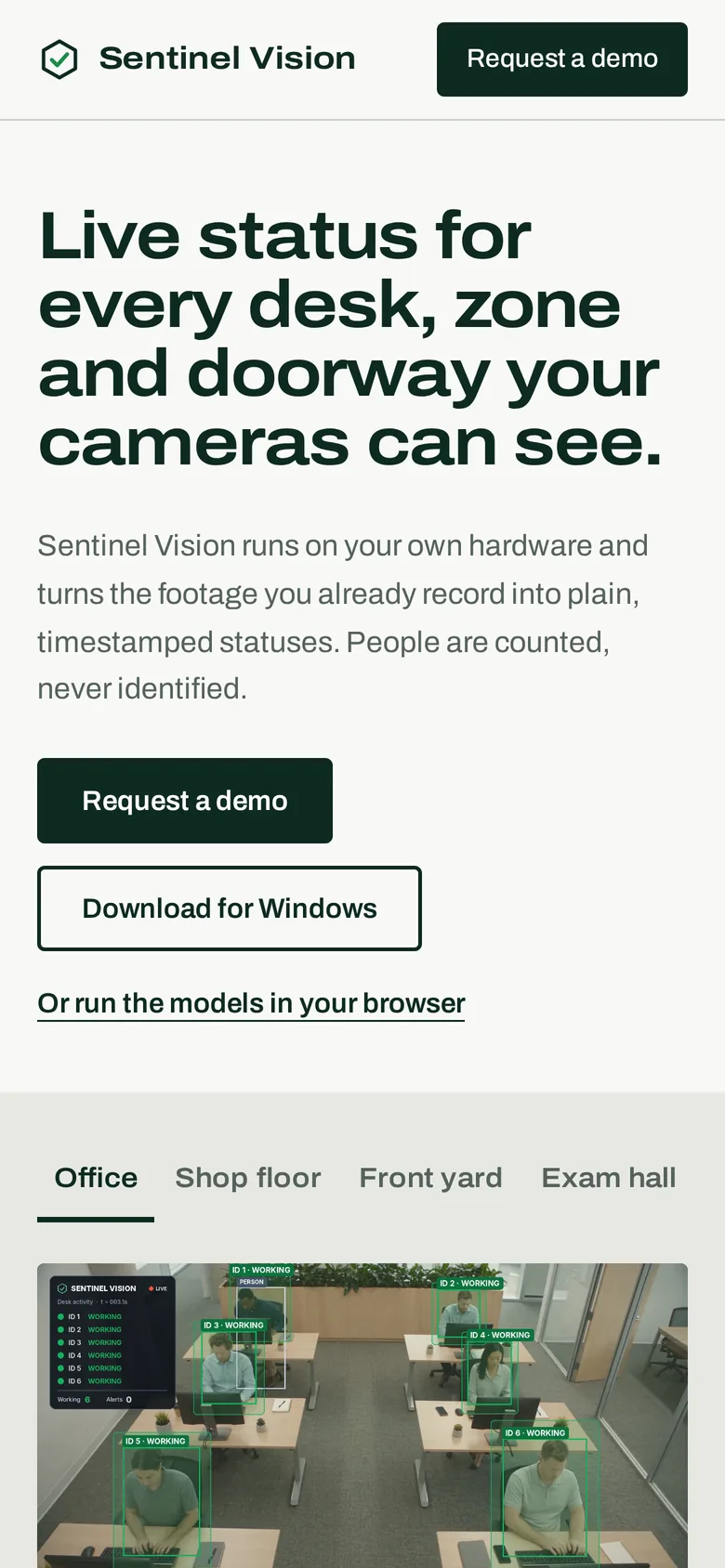
Camera analytics that turns video into a list of status changes, like a desk going empty or a checkout line getting too long.
The four demo scenes
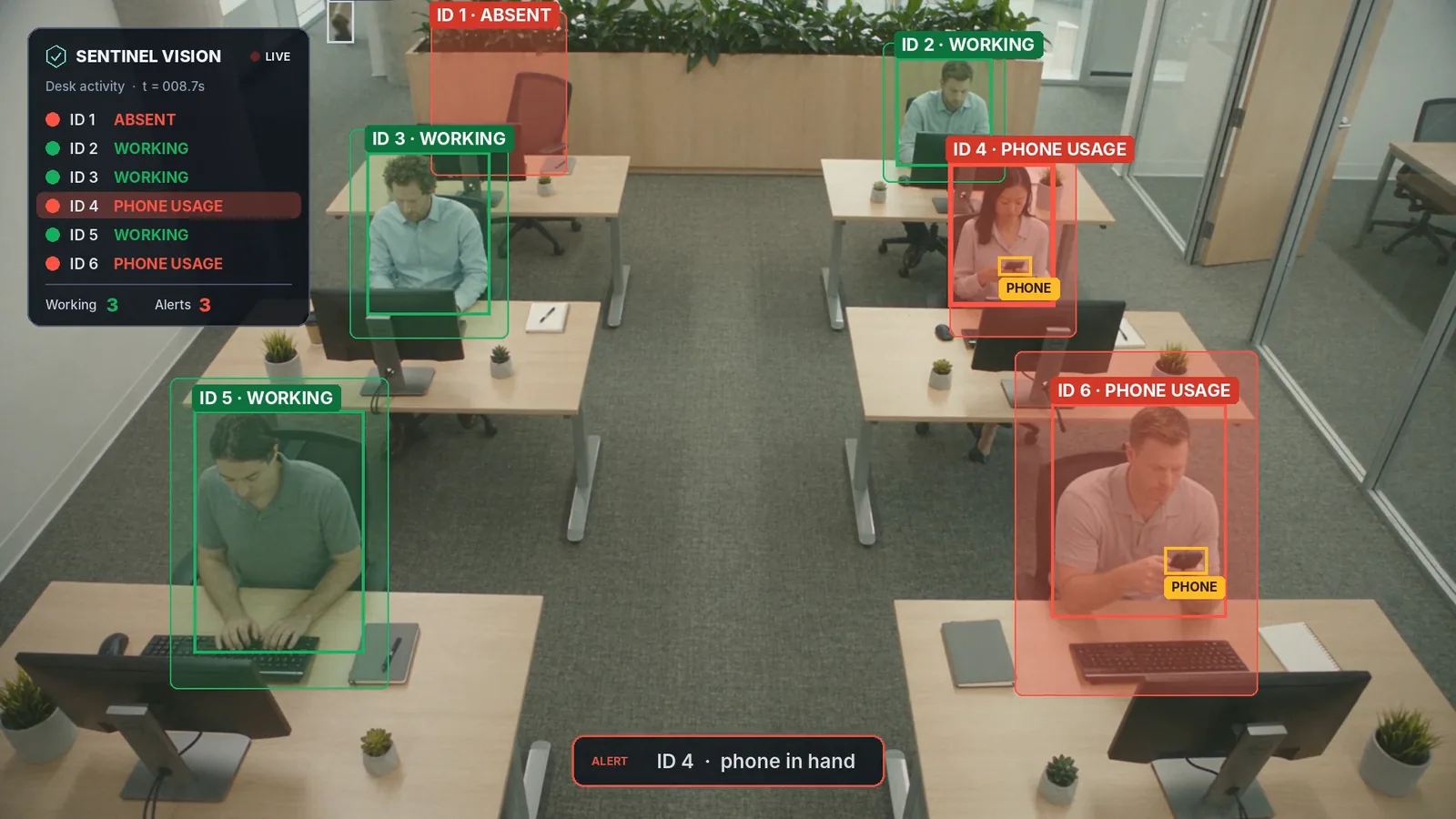
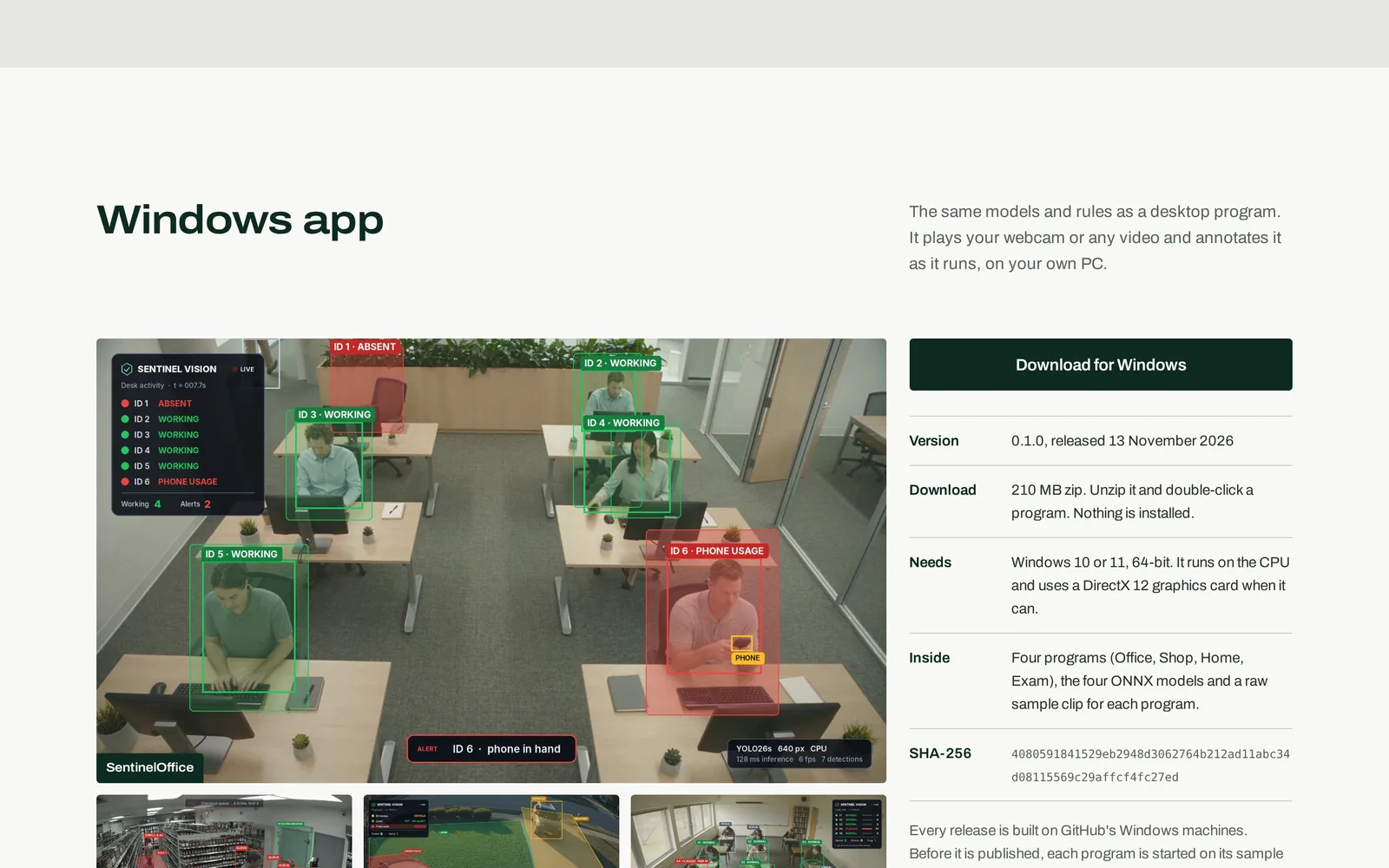
- 00:01.0Six desks mapped
- 00:04.8ID 1 away from desk
- 00:07.0ID 6 phone in hand
- 00:08.5ID 4 phone in hand
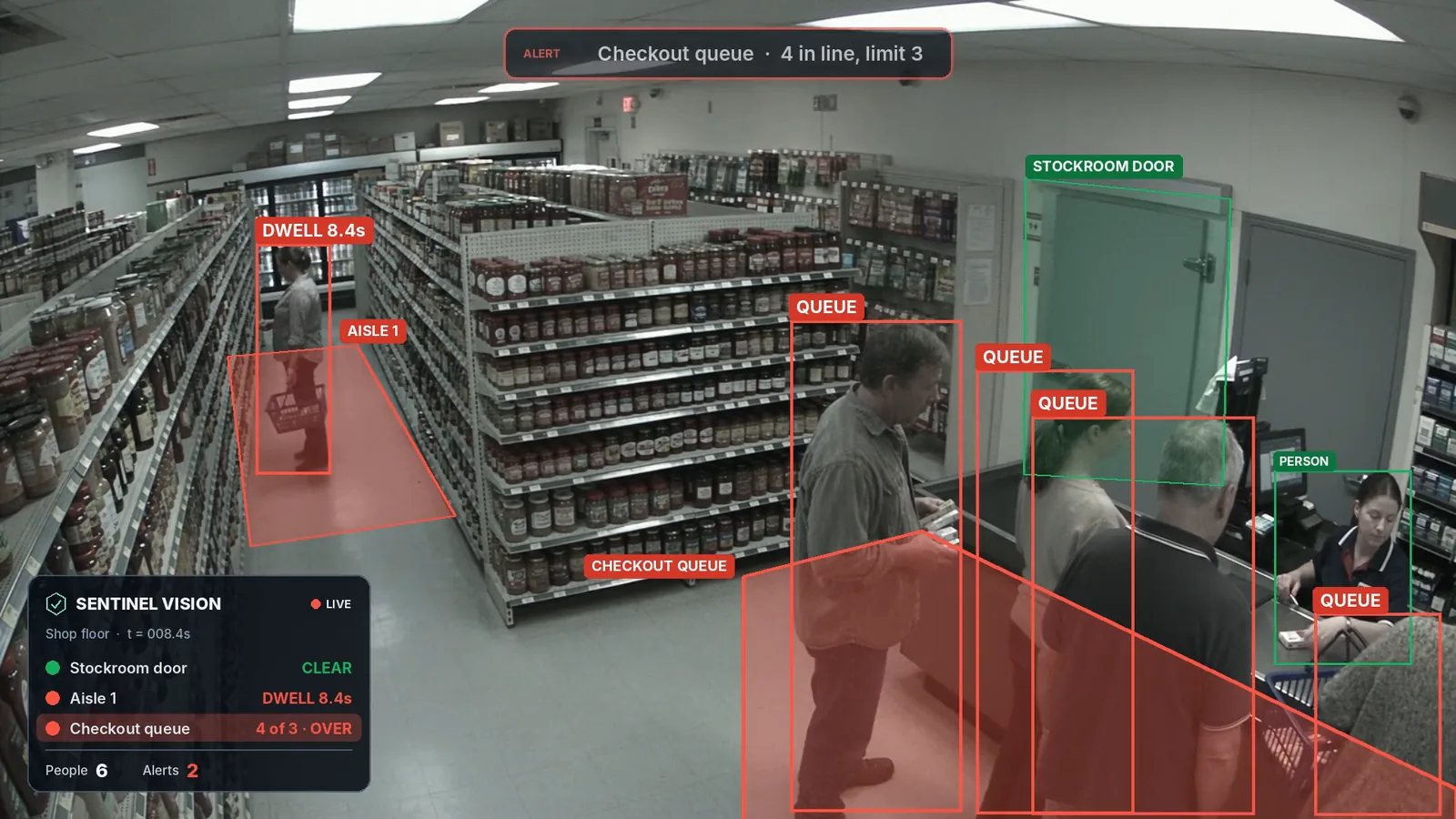
- 00:03.8Stockroom door, person entered
- 00:05.0Aisle 1, dwell over 5 seconds
- 00:07.8Stockroom door cleared
- 00:08.2Checkout queue over its limit
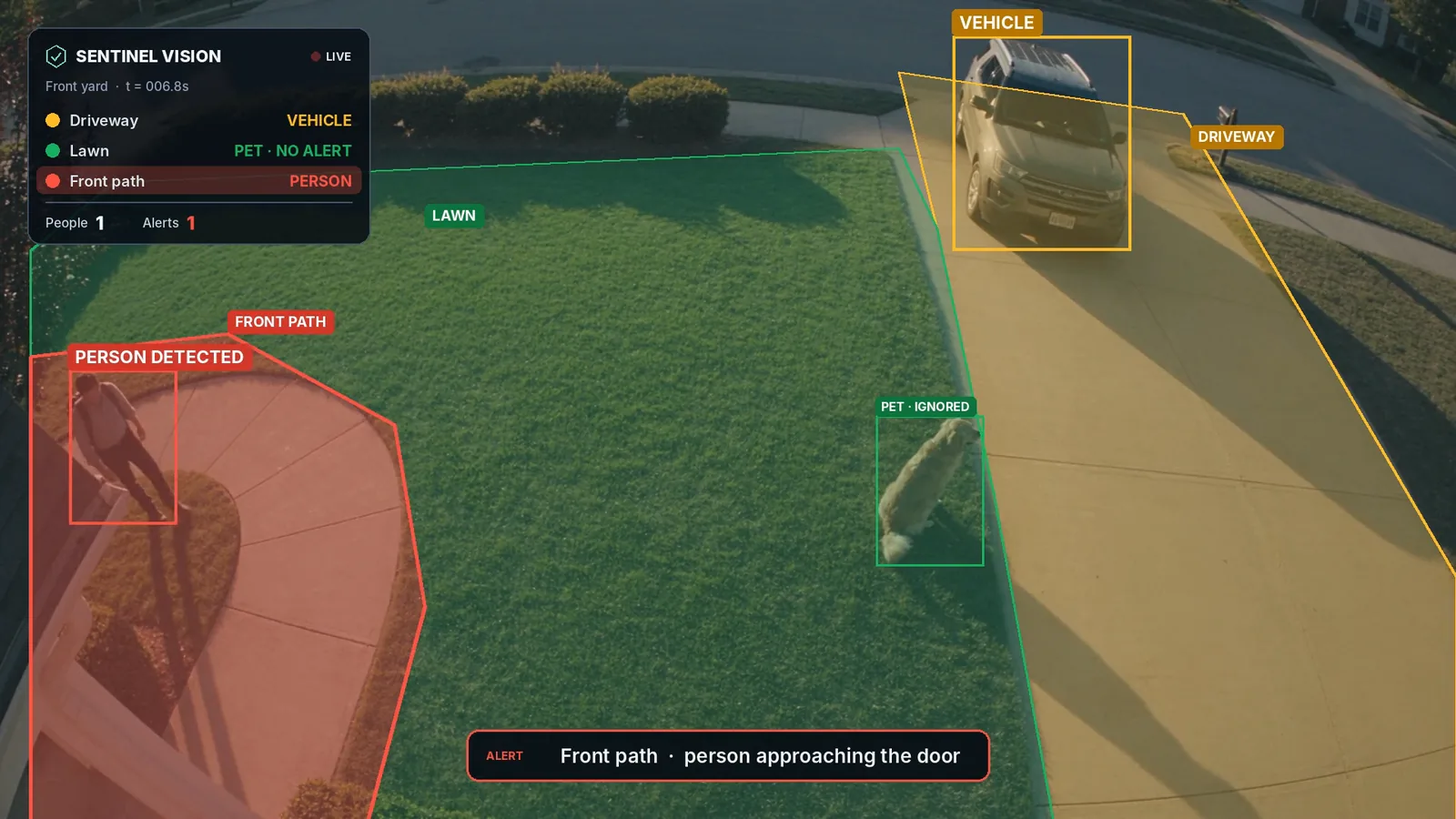
- 00:03.5Driveway, vehicle arrived
- 00:03.5Lawn, pet, no alert
- 00:06.5Front path, person approaching the door
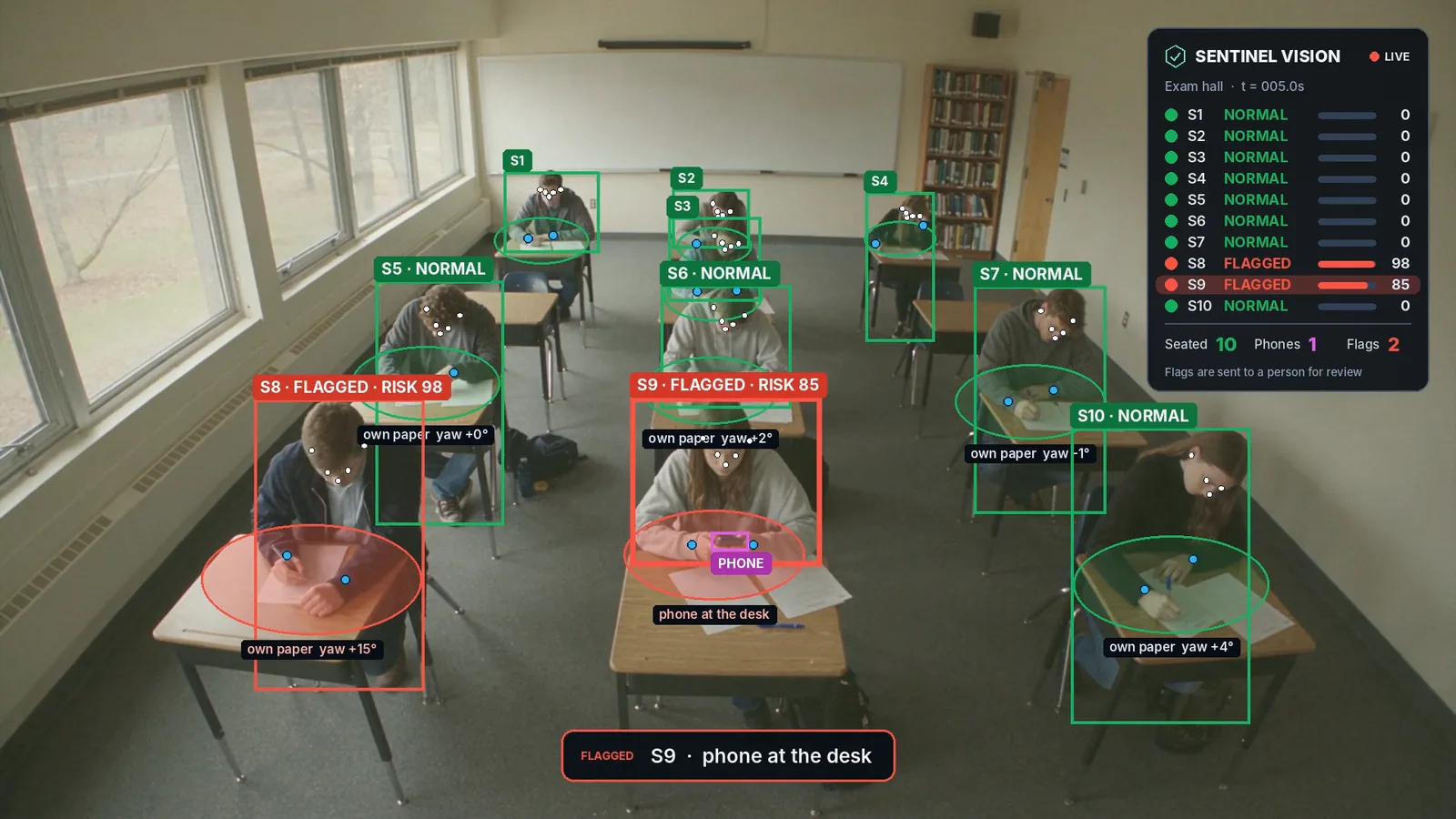
- 00:01.0Ten seats mapped
- 00:02.0S8 under review
- 00:02.8S8 flagged, looking at desk S9
- 00:04.7S9 flagged, phone at the desk
- Role
- Everything: the model export, the rules, the browser demo, the Windows apps, the release pipeline and the site.
- Team
- Solo
- Stack
- Python, YOLO26, ONNX Runtime, DirectML, WebAssembly, JavaScript, GitHub Actions
- Status
- Live, 2026
Problem
Most camera footage only gets watched after something goes wrong. I wanted something that tells you what's happening while it happens, as a short list of status changes with timestamps. A desk went empty at 4.8 seconds. The checkout line went over its limit at 8.2.
I set a few rules for myself before starting:
- It reports statuses and doesn't try to identify anyone. No face recognition and no names.
- It has to run on hardware people already have: a regular CPU, a Windows PC with a graphics card, or a browser tab.
- The logic that decides a status has to be readable code, so I can explain any result.
- The demo clips are AI generated video, so nobody was filmed to make them.
What I built
This is a solo project. The detection and pose models are pretrained YOLO26 weights from Ultralytics. I didn't train those. I built everything around them:
- The export to ONNX, so one set of model files works everywhere.
- The rules, one class per scene:
OfficeRules,ZoneRulesandExamRules. - The offline pipeline that takes a clip and produces detections, then statuses, then an annotated video.
- A browser version that runs the models with WebAssembly on your own photo or webcam. Nothing gets uploaded.
- Four Windows apps, one per scene, built with PyInstaller and ONNX Runtime with DirectML.
- The release pipeline, the site at sentinelvision.dev and the docs.
How it works
- FramesA video file, a webcam, or a photo in the browser
- DetectorYOLO26 in ONNX: boxes, classes and keypoints
- detections.jsonRaw model output
- RulesTake one frame and a time step, return statuses
- states.jsonWhat the apps and renderers read
The model output and the rule output go to two separate files. The model writes detections.json and the rules write states.json. Anything that draws a result only reads the second file. That means I can swap the model without touching the rules, and I can test the rules without loading a model at all.
Each rule class takes one frame at a time. The batch pipeline and the live apps use the same classes, so the demo videos can't do anything the live app couldn't do.
The rules use fixed thresholds that the camera owner can change. There's no second model deciding what counts as loitering.
- Office
- Seats are learned from the first second of video. A seat reads Absent after it's been empty for three quarters of a second, and Phone usage when a phone is detected on the person.
- Zones
- Entry, dwell and occupancy rules on zones you draw. A track can drop out for 0.6 seconds before its timer resets. An entry alert stays up for 2.5 seconds after the zone clears.
- Exam hall
- Each seat gets a baseline head direction. Turning more than 38 degrees toward another desk builds up a risk score, which decays when they look back. Review at 25, flag at 60. A phone on the desk sets it to 85.
- Runtimes
- DirectML on a Windows GPU, ONNX Runtime on a CPU, and ONNX Runtime Web in the browser. All three use the same exported files.
A detail I had to fix
The dwell rule gave me the most trouble. When two people cross paths, the tracker often gives one of them a new ID. If the timer is tied to the ID, someone who's been standing in an aisle for eight seconds drops back to zero.
My fix was to let a new track inherit the timer of a track that just disappeared, if it shows up within one second and 90 pixels of it:
pipeline/zones_analyze.pyEXIT_GRACE = 0.6      # seconds a track may vanish or step out before its timer resets
INHERIT_S, INHERIT_PX = 1.0, 90   # a new track this close to a just-lost one keeps its timer (tracker ID switches)
...
for o in members:
    key = o['id'] if o['id'] >= 0 else ('anon', round(o['box'][0] / 40), round(o['box'][1] / 40))
    a = anchor(o['box'], z['anchor'])
    if key not in T:
        heir = [k for k, v in T.items() if t - v['last'] <= INHERIT_S and t - v['last'] > 0 and abs(v['pt'][0] - a[0]) < INHERIT_PX and abs(v['pt'][1] - a[1]) < INHERIT_PX]
        T[key] = {'since': T.pop(heir[0])['since'] if heir else t, 'last': t, 'pt': a}
    T[key]['last'] = t; T[key]['pt'] = a
    dwell = t - T[key]['since']
    if dwell >= z['seconds']: o['level'] = 'alert'; o['label'] = f'DWELL {dwell:.1f}s'
You can see it working in the Shop floor frame at the top of this page. The shopper in aisle one shows a dwell time of 8.4 seconds at 8.4 seconds into the clip, so the timer never reset.
Testing and speed
There are 41 tests for the rules. They don't need a model, so they run in about a tenth of a second.
The release workflow runs those tests, builds the four Windows apps, then starts each one on its sample clip and fails if the expected events don't show up. For the office app that's a desk going from Working to Absent. After that it zips the apps and writes SHA-256 checksums.
These are the timings from the README:
| Model | Runtime | Input | Per frame |
|---|---|---|---|
| YOLO26n | ONNX Runtime, CPU | 640 px | 68 ms |
| YOLO26s | ONNX Runtime, CPU | 640 px | 208 ms |
| YOLO26n | Chrome, WebAssembly, 2 threads | 640 px | about 200 ms |
| YOLO26-L | PyTorch, CPU | 1280 px | about 2 s |
| YOLO26-L, objects and pose | PyTorch, CPU | 1280 px | 4.0 s |
| YOLO26n | ONNX Runtime, DirectML GPU | 640 px | Not timed yet |
Limits
Version 0.1.0 is out, with the four apps, webcam and video file input, zones you can draw, a CSV event log and annotated video. The Windows builds are on the releases page.
Things it doesn't do well yet:
- The demo clips are ten seconds of generated video. They show the rules working, but they don't tell you how accurate it is on a real camera. I haven't measured that.
- Head direction is measured in the 2D image, so "looking at desk S9" really means the best aligned desk.
- Phones are small. The small model at 640 px catches the empty seat but misses the phones that the large model finds.
- Seats are learned from the first second of video.
- The GPU path works but I haven't timed it.
An exam flag is meant to tell a person to take a look. The app shows that on screen. It doesn't do face recognition or store names, but it hasn't had an outside privacy review, so I'm not making promises there.
What's next
The roadmap has a review screen for events, movement heatmaps, IP cameras over RTSP, a retention timer for logs and clips, and a single app with an installer.
Before those I want to time the GPU path, and test the rules on real footage, with consent, where the events are labeled. Then I can put real accuracy numbers on each rule.