WorkCase study
Senior project, team of five · In development · 2026
CyberForge
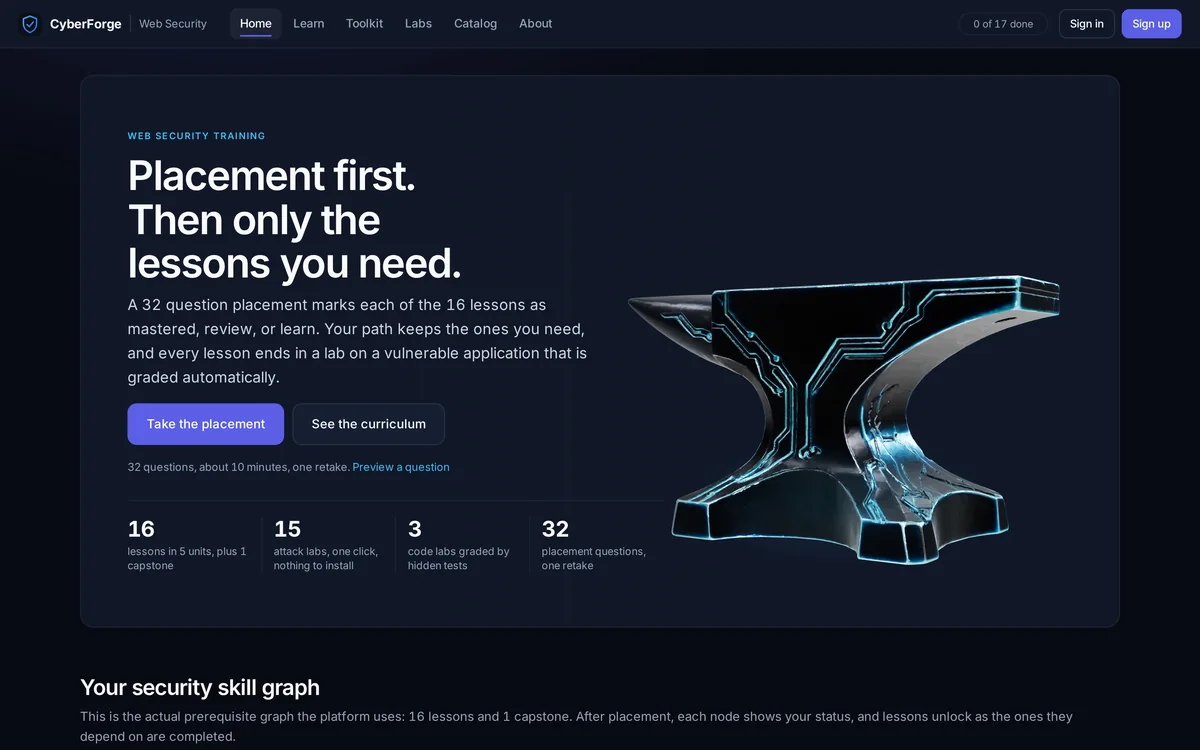
Web security training app with a placement quiz, a lesson path and hands on labs. Senior project, team of five.
- Role
- Labs and lab isolation, the app shell and deployment.
- Team
- Team of five, CSULB CECS 491A
- Stack
- Vanilla JS, Python, Pyodide, Netlify Functions, Supabase, Docker
- Status
- In development, 2026
Problem
Most security courses and CTF sites give everyone the same lessons in the same order. Beginners fall behind, people with experience skip ahead and miss things, and hands on work gets graded by hand, so there's less of it.
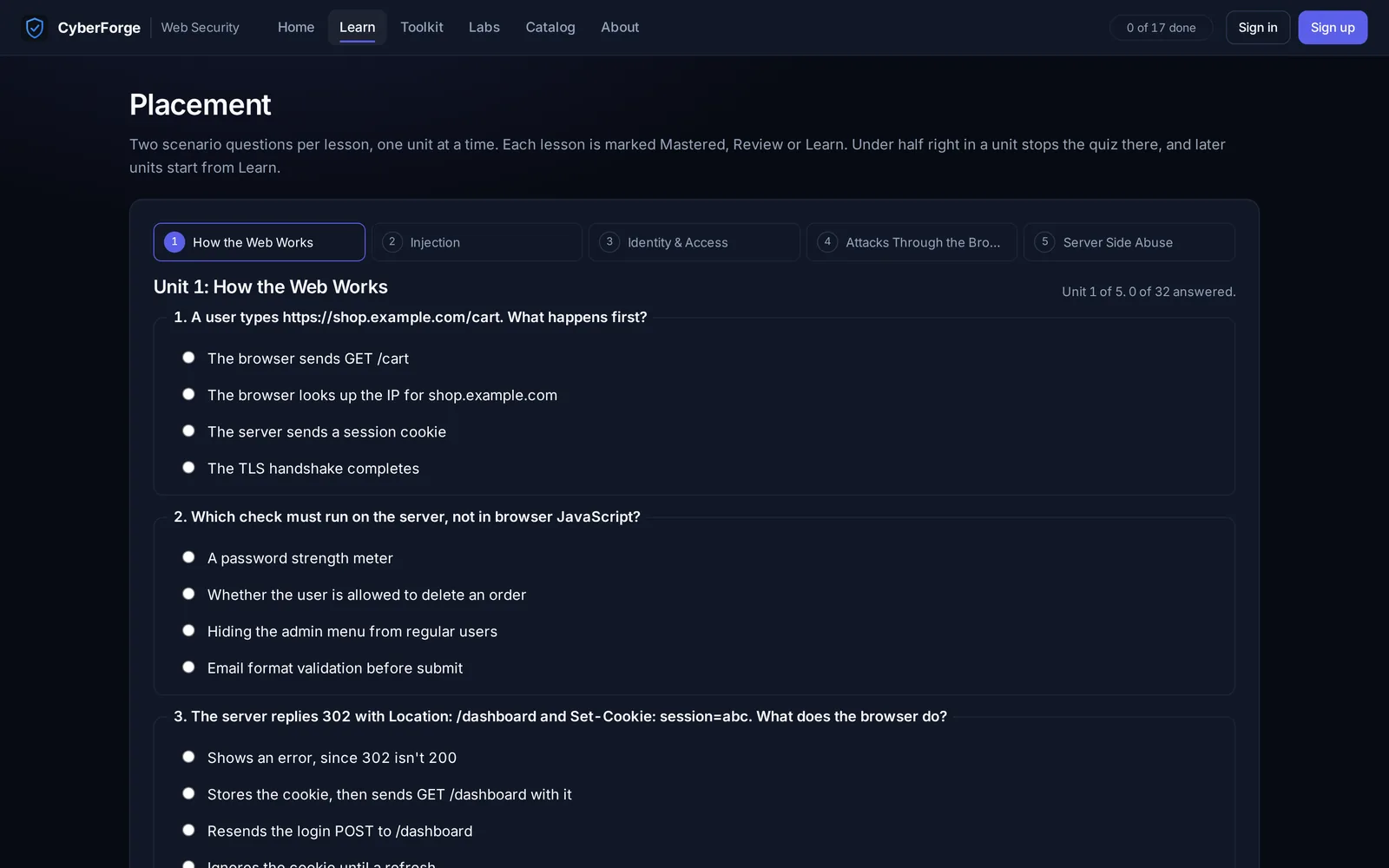
CyberForge is our senior project for CECS 491A at Cal State Long Beach. It starts with a placement quiz, builds a path through the lessons based on what you already know, and ends each lesson with a lab on a deliberately vulnerable app that gets graded automatically.
Since learners attack the labs, each person needs their own copy that nobody else can break. And the grading can't trust the browser.
What I built
There are five of us. On the team page I'm listed for labs, isolation, the app shell and deployment. My teammates own the adaptive engine and placement, the skill graph, the graders and tests, and the hints and lesson content.
My parts:
- The app shell. A single page app in plain JavaScript with routes for the path, lessons, placement, the toolkit and the catalog. No framework, with a strict content security policy.
- Hosted labs. Each of the 15 attack labs is a small vulnerable web app that opens in a private sandbox for that learner, with a reset button. The same apps also run locally in Docker.
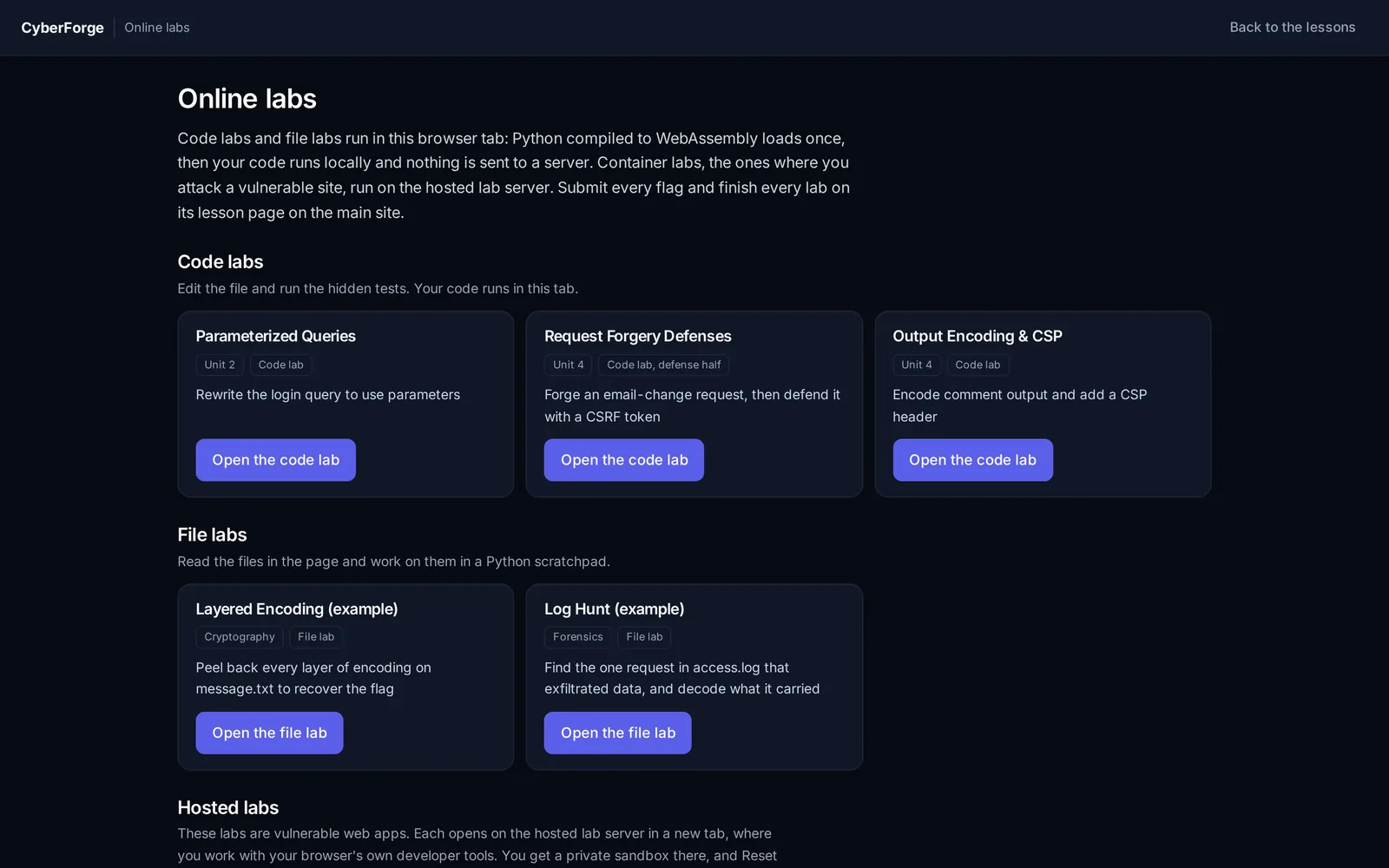
- The in browser labs. The three code labs and the file labs run in the browser tab on Python compiled to WebAssembly, against hidden tests.
- Server side grading. Grading runs in a server function that uses the same Python engine my teammates wrote, so flags never get sent to the browser.
- Accounts. Supabase auth and Postgres with row level security, which stores progress and every graded attempt.
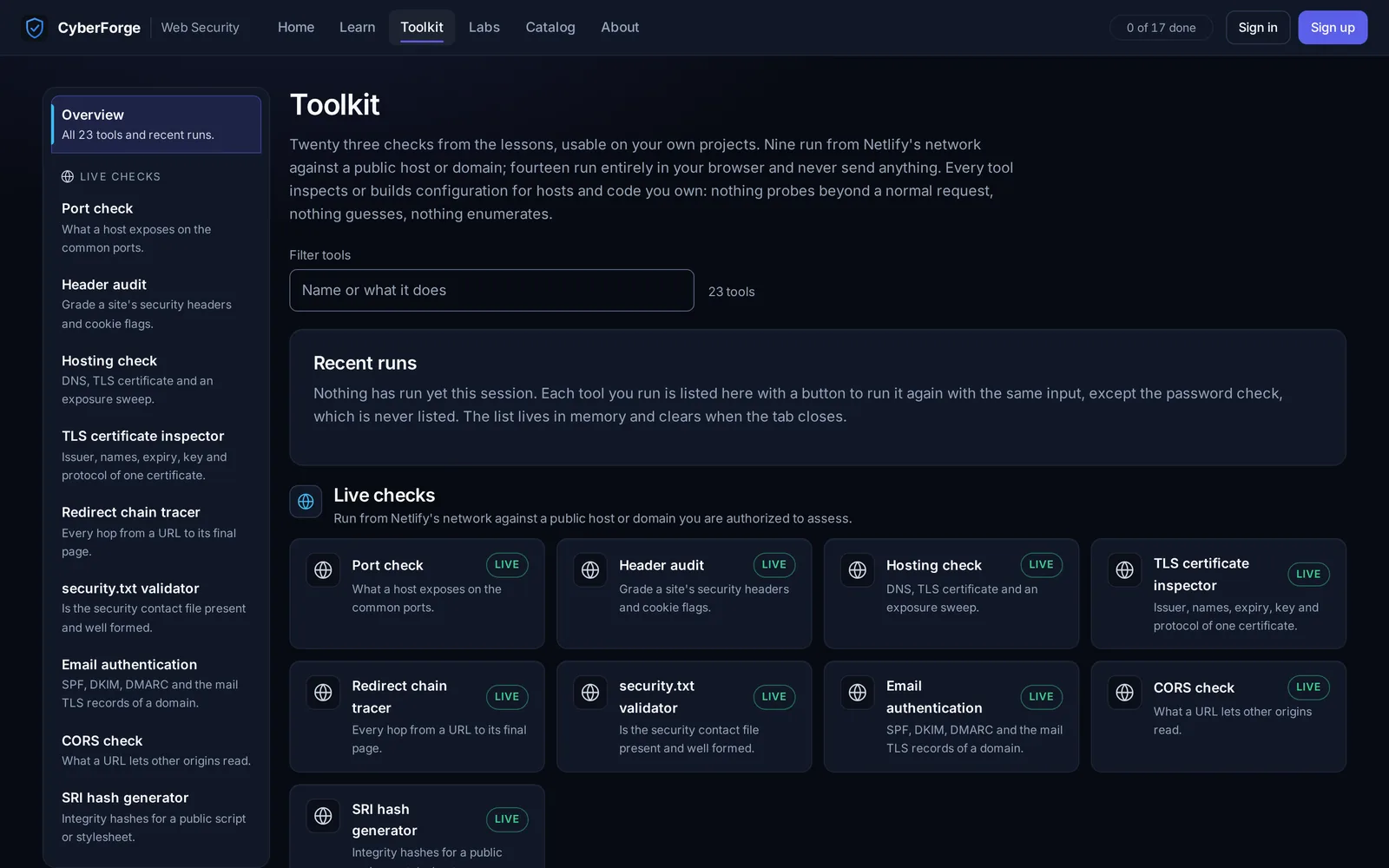
- The toolkit. 23 small security tools built into the app. The ones that make network requests run as serverless functions with SSRF protection.
- Deployment. The site builds from the repo on every push to main.
How it works
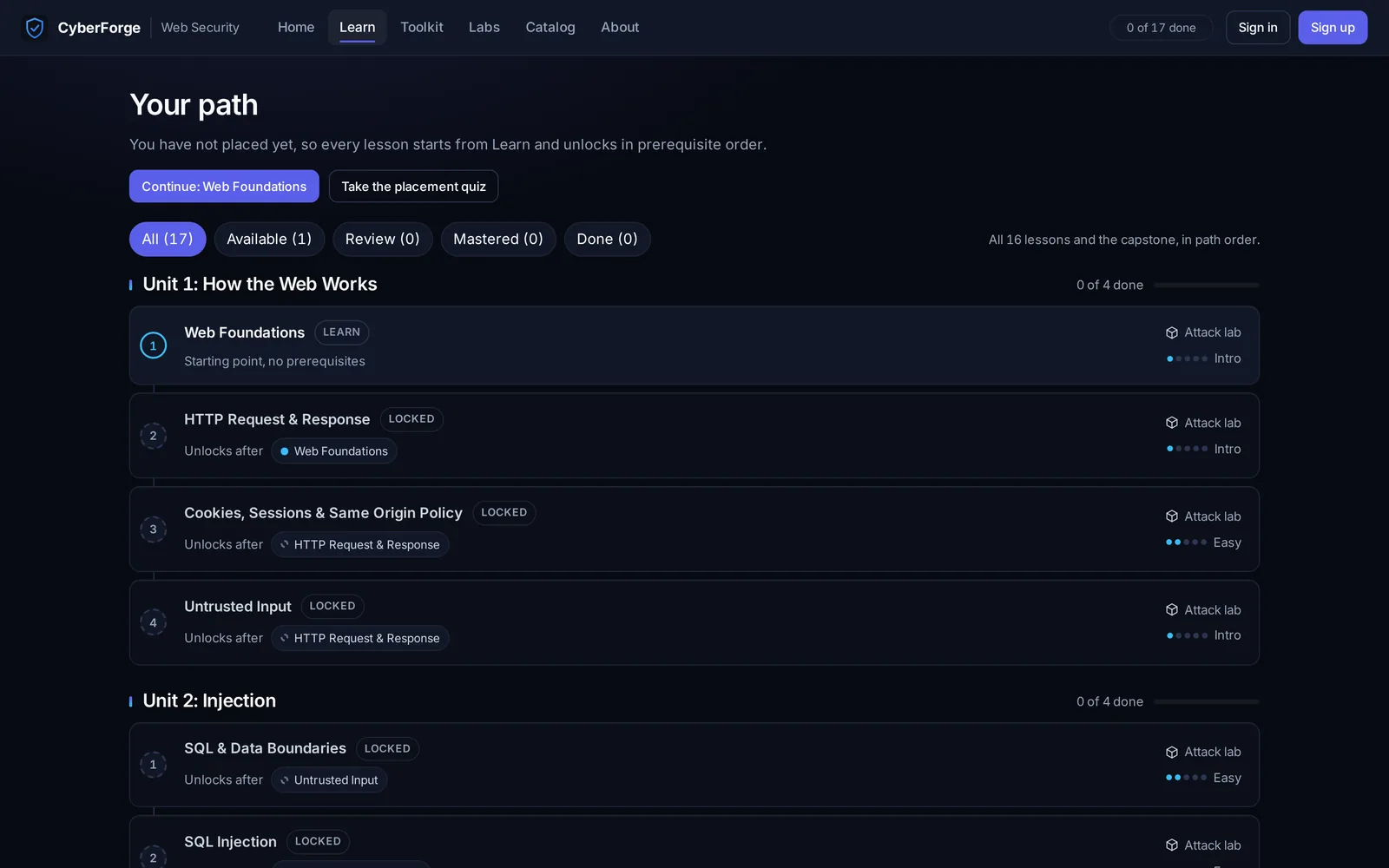
- Placement32 questions, one retake
- Skill graph16 lessons in 5 units, plus a capstone
- PathSkips what you already know
- LabA private sandbox per learner
- GradeFlag check or hidden tests
The browser renders lessons and the path from a public content bundle, so the app is fast and works without an account. Anything that decides a grade runs on the server, using the same Python engine.
Some labs have you plant something, like a stored script in a comment thread. On a shared instance that would break the lab for everyone else, so each learner gets their own copy and a reset button.
The code labs run in the browser tab. Python loads once as WebAssembly and the learner's code runs locally, so we don't have to run untrusted code on a server.
A tool that fetches a URL for a user is exactly the kind of thing the course teaches people to attack, so the network tools have SSRF protection.
Testing
The repo is private to the team, so I can't link to the tests. One thing you can check from outside is the layout. I loaded seven routes at 360 px wide and none of them overflow or throw console errors:
#/             scrollWidth 360 / viewport 360  overflow=no  console errors=0
#/learn        scrollWidth 360 / viewport 360  overflow=no  console errors=0
#/toolkit      scrollWidth 360 / viewport 360  overflow=no  console errors=0
#/catalog      scrollWidth 360 / viewport 360  overflow=no  console errors=0
#/about        scrollWidth 360 / viewport 360  overflow=no  console errors=0
#/placement    scrollWidth 360 / viewport 360  overflow=no  console errors=0
labs/          scrollWidth 360 / viewport 360  overflow=no  console errors=0
The skill graph on the homepage works with a keyboard. Arrow keys move between lessons and Enter opens one.
Limits
- It's still in progress. This semester covers web security: placement, the path, 15 attack labs, 3 code labs, saved progress and the toolkit.
- It's a student project and hasn't had a lot of real users yet.
- The source is private to the team.
What's next
Next semester (CECS 491B) the plan is to add secure coding and network security, a mentor that gives hints without giving away answers, and an instructor dashboard. For me that means more labs, and making sure lab isolation holds up when a whole class is using it.